STEP 1
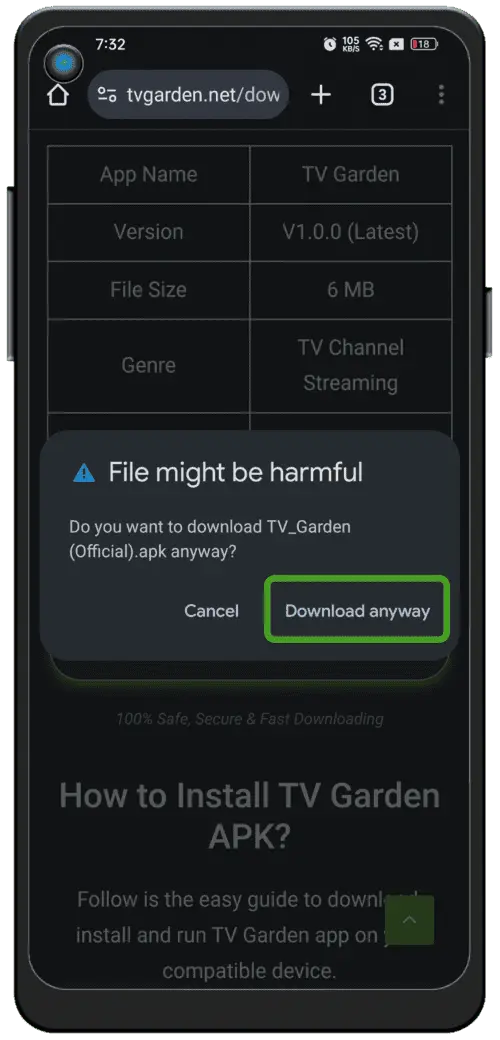
Download APK
Tap the download button below to begin downloading the latest NBTV APK.
TIP
Stable internet connection recommended.
STEP 2
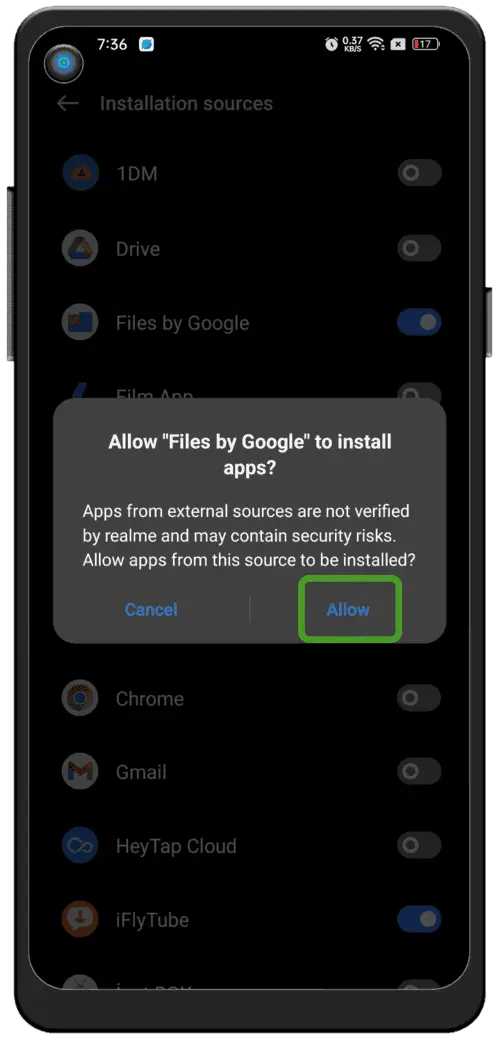
Enable Unknown Sources
-
1Open Settings
-
2Go to Security or Privacy
-
3Allow Unknown Apps
STEP 3
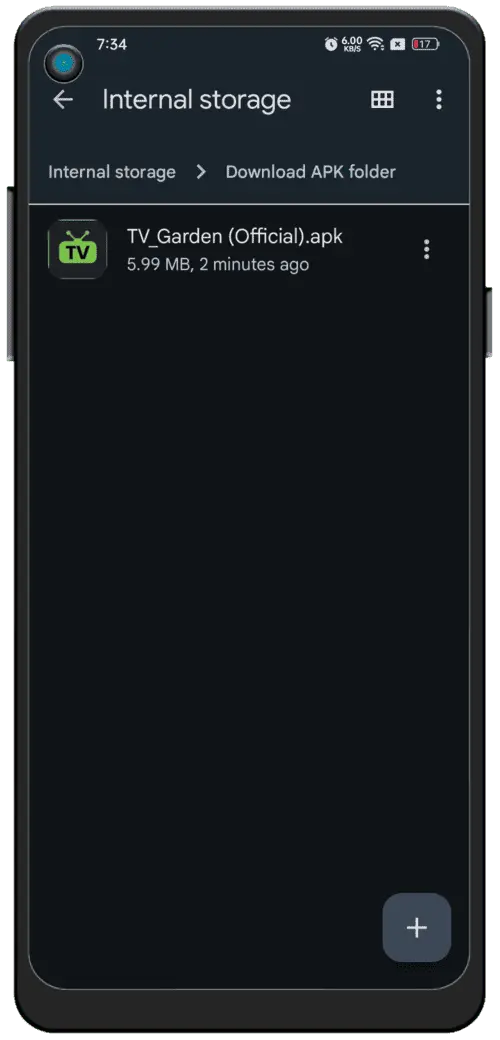
Locate APK File
Open File Manager and go to Downloads folder.
-
1Open Downloads Folder
-
2Tap NBTV.apk
STEP 4
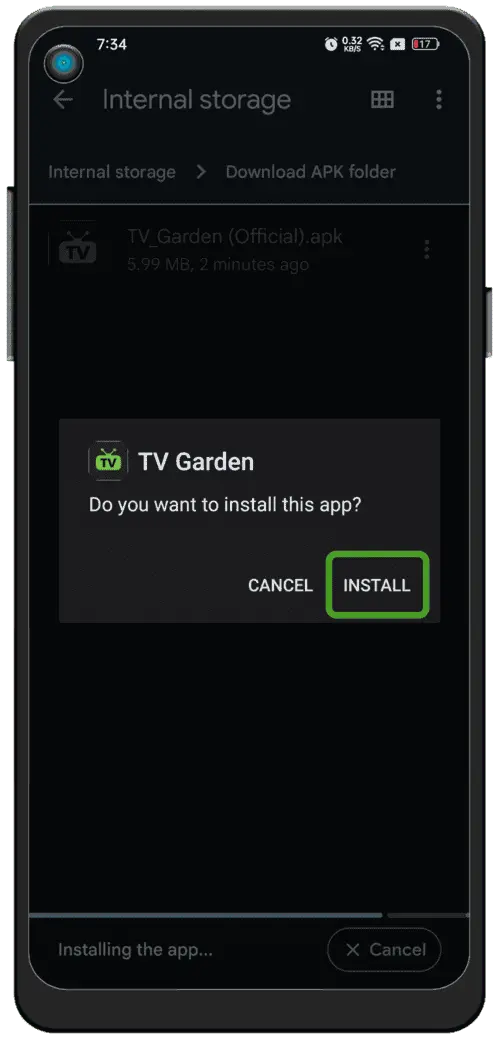
Install & Enjoy
Tap install and open the app after setup is complete.
1000+ live channels, sports and movies available free.